

What you spend now, what changes when work stops, and why it matters most.
This is an educational walkthrough using a fictional family. It is not financial advice, and the right answers for you depend on facts a lesson cannot know.
Watch this lesson (4 minutes) Opens YouTube in a new tab.
1.What will retirement cost me?
Last time we found the gap between what comes in and what goes out. Today we look at what goes out. It is the number that matters most, and the one you have the most say over. As always: this is an educational walkthrough using a fictional family. It isn’t financial advice.
2.What is left is what you spend
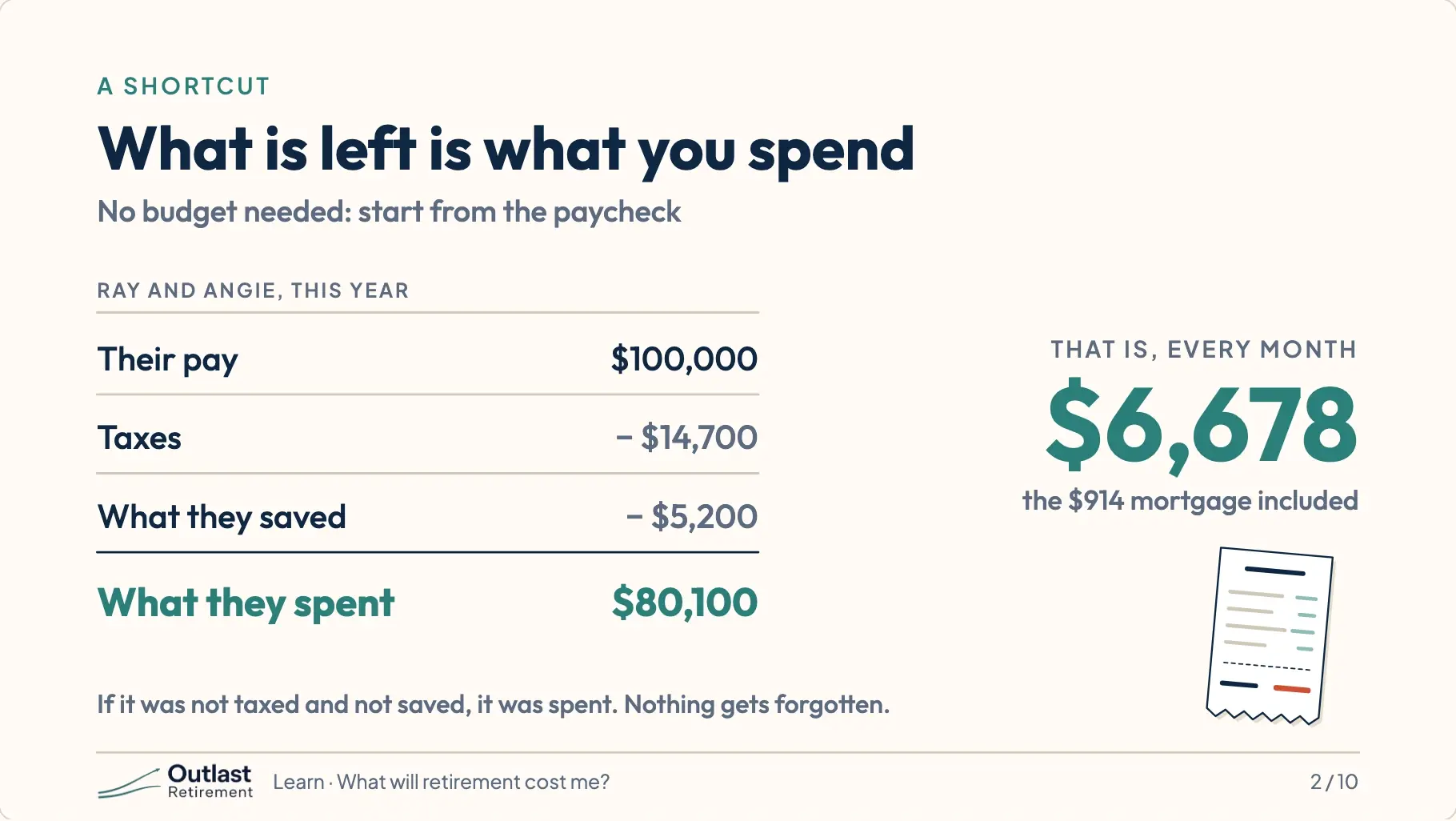
Nobody likes writing a budget, so here is a shortcut. Take your pay. Take away taxes. Take away what you save. Whatever is left, you spent. For Ray and Angie that is about sixty-seven hundred dollars a month.
3.Some costs stop
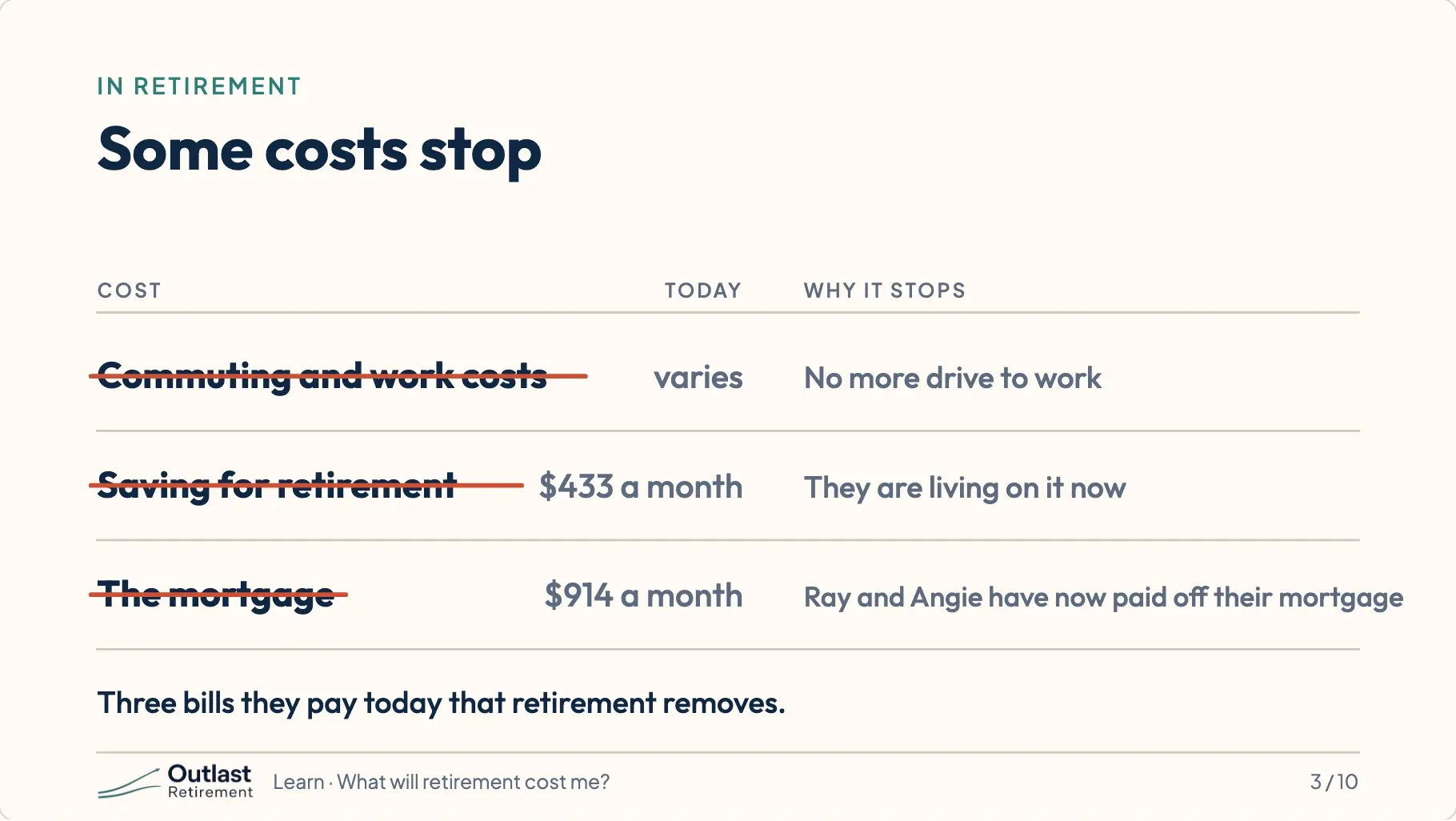
Some of that goes away when you retire. No more driving to work. No more saving for retirement, because you are in it. And for Ray and Angie, the mortgage is paid off the same year they stop working.
4.One cost grows
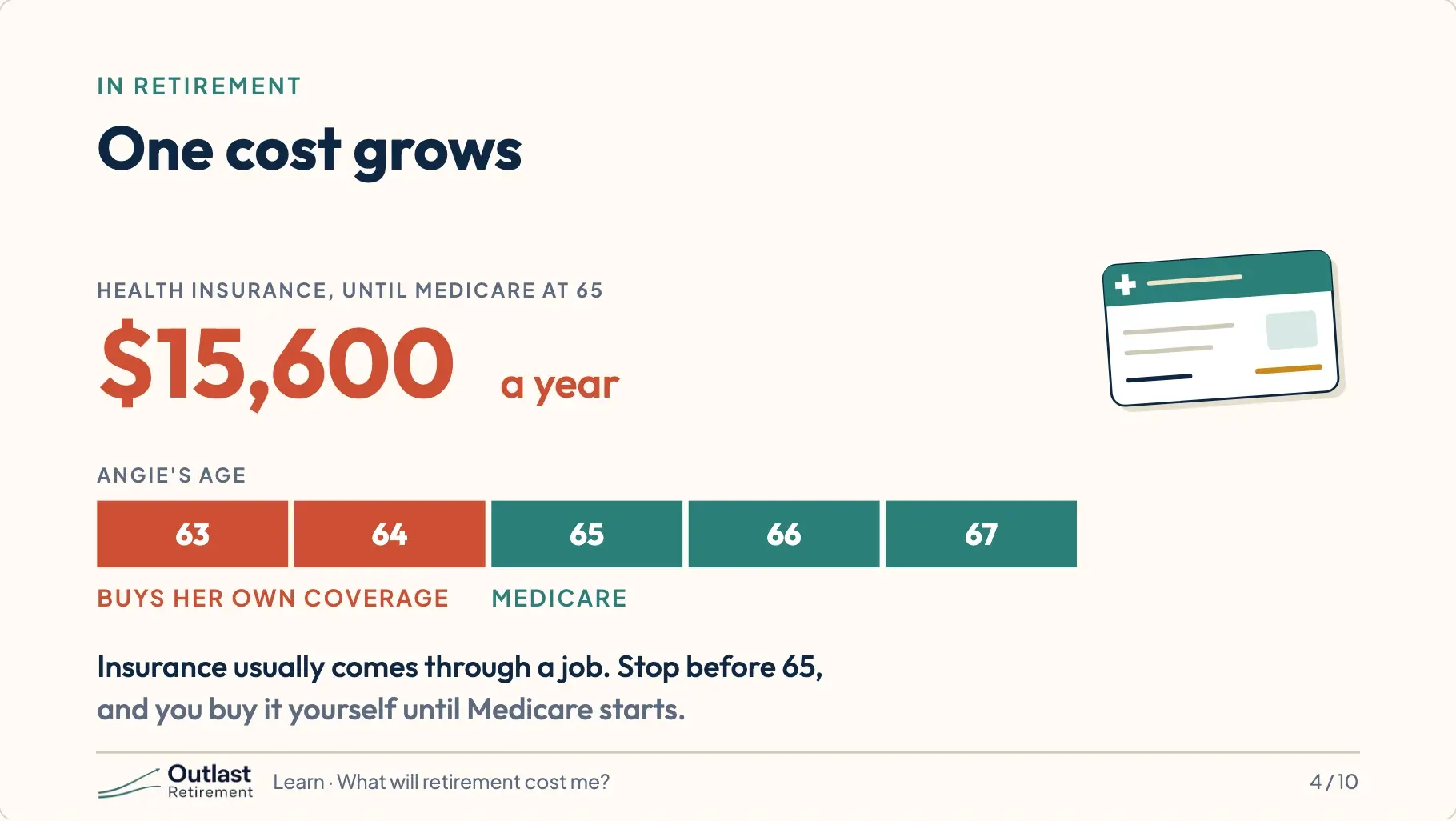
But one cost grows. Health insurance usually comes through a job. Stop working before 65, and you buy it yourself until Medicare starts. Angie is two years younger than Ray, so they pay for her coverage for two years. It is about fifteen thousand six hundred dollars a year.
5.What they plan to live on
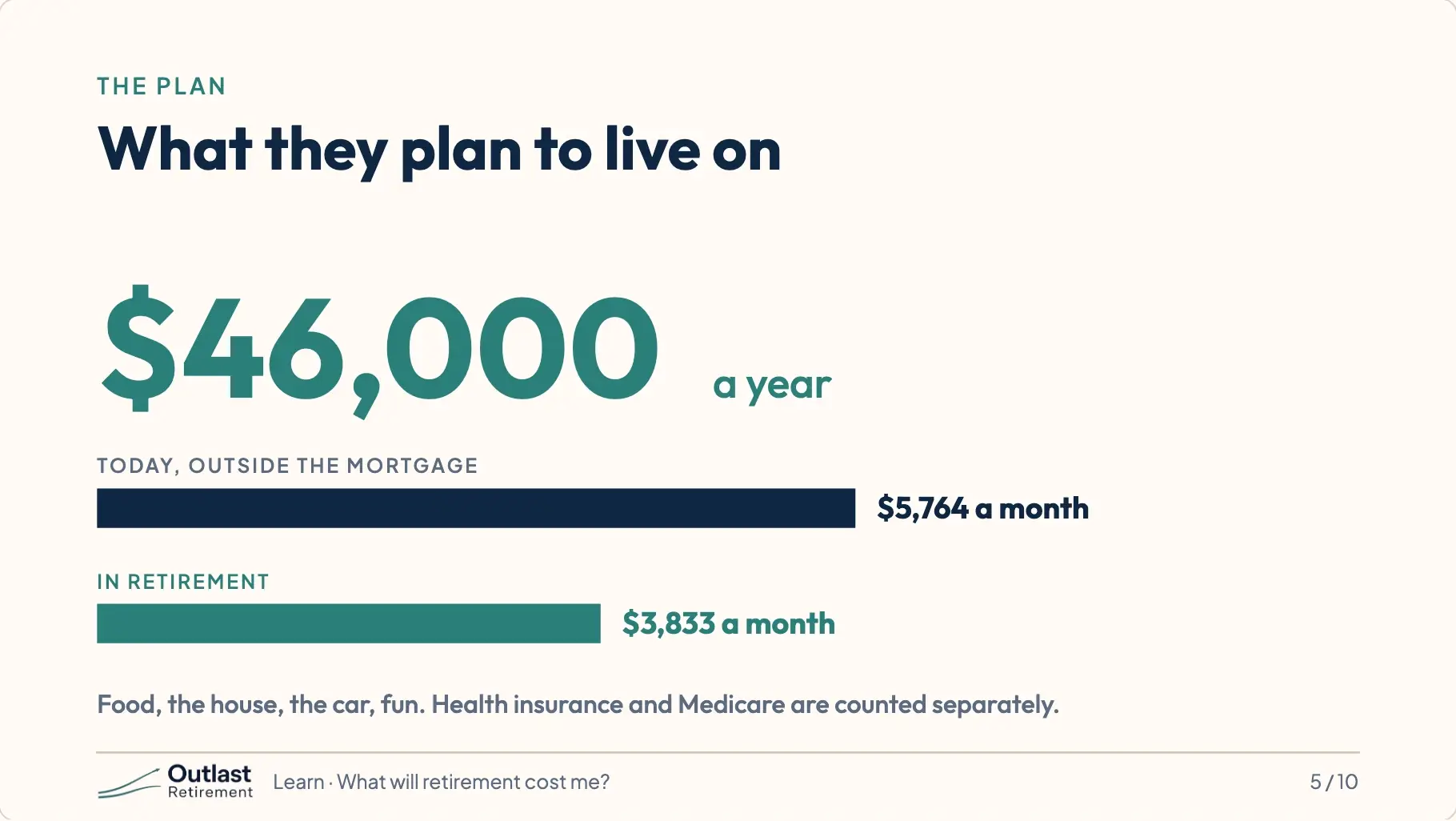
Putting it together, Ray and Angie plan to live on forty-six thousand dollars a year once they retire. That covers food, the house, the car, fun, everything except health insurance and Medicare, which the plan counts separately.
6.Prices go up every year
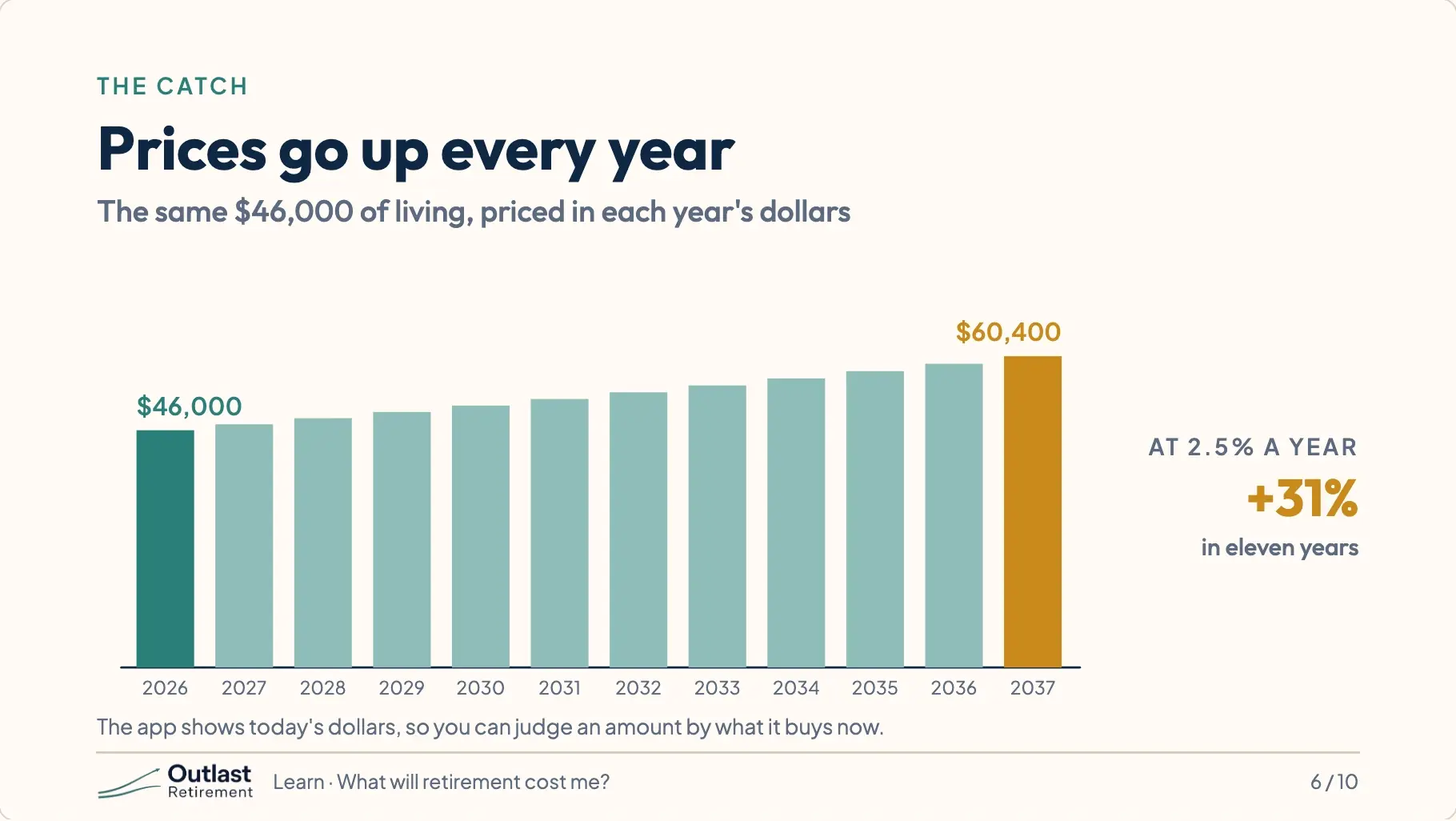
There is a catch, and it is called inflation. Prices rise a little every year. What costs forty-six thousand dollars today will cost about sixty thousand by the time Ray retires. The app handles this for you. It shows amounts in today’s dollars so the numbers stay easy to judge.
7.Spend $500 more a month
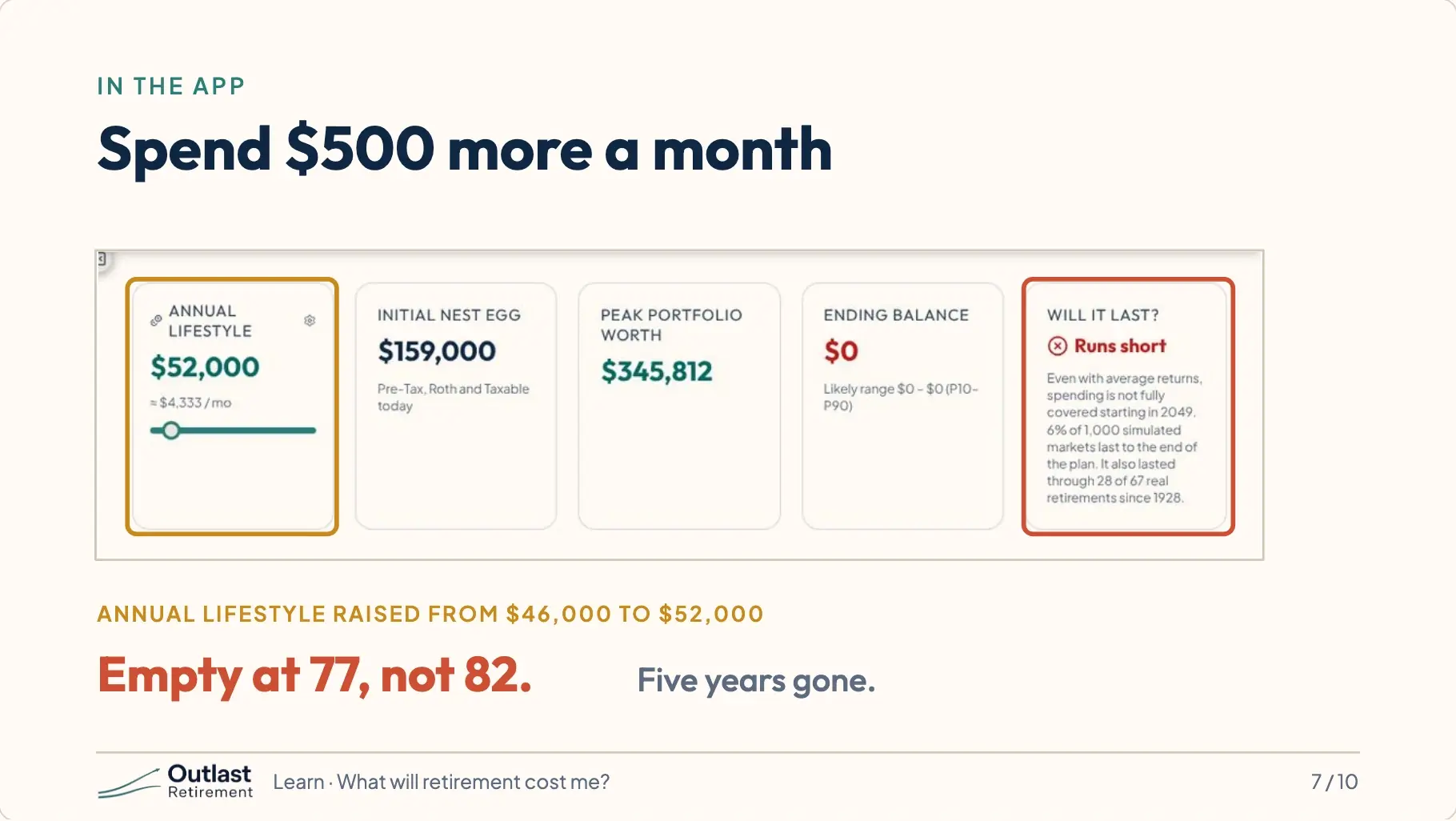
Watch what spending does. Ray and Angie’s money runs out when Ray is 82. If they spend five hundred dollars more each month, it runs out at 77. Five years gone.
8.How long the money lasts
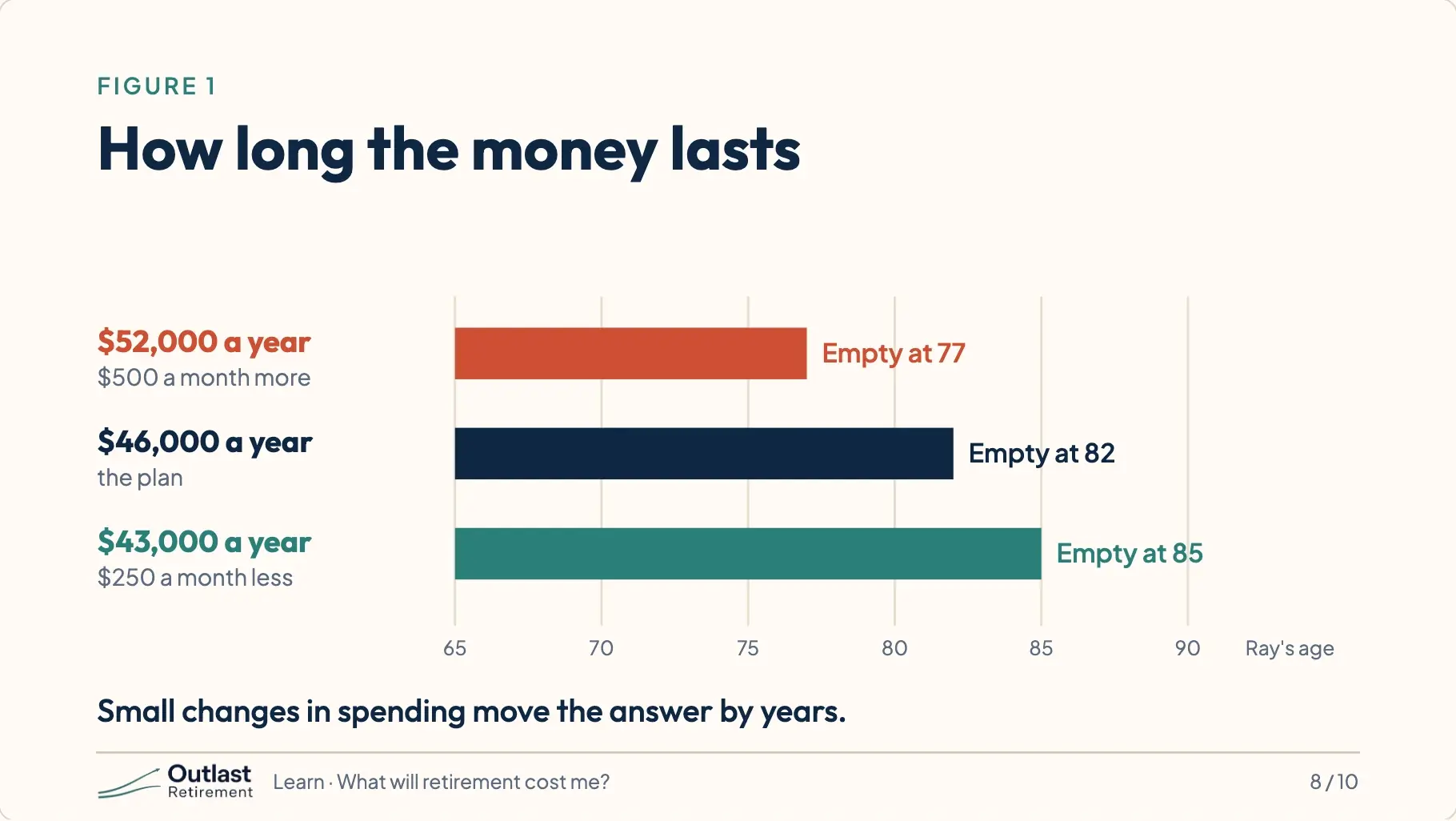
Now the other way. Spend two hundred fifty dollars less each month, and the money lasts until 85. Three more years, from one small change.
9.The one number you control
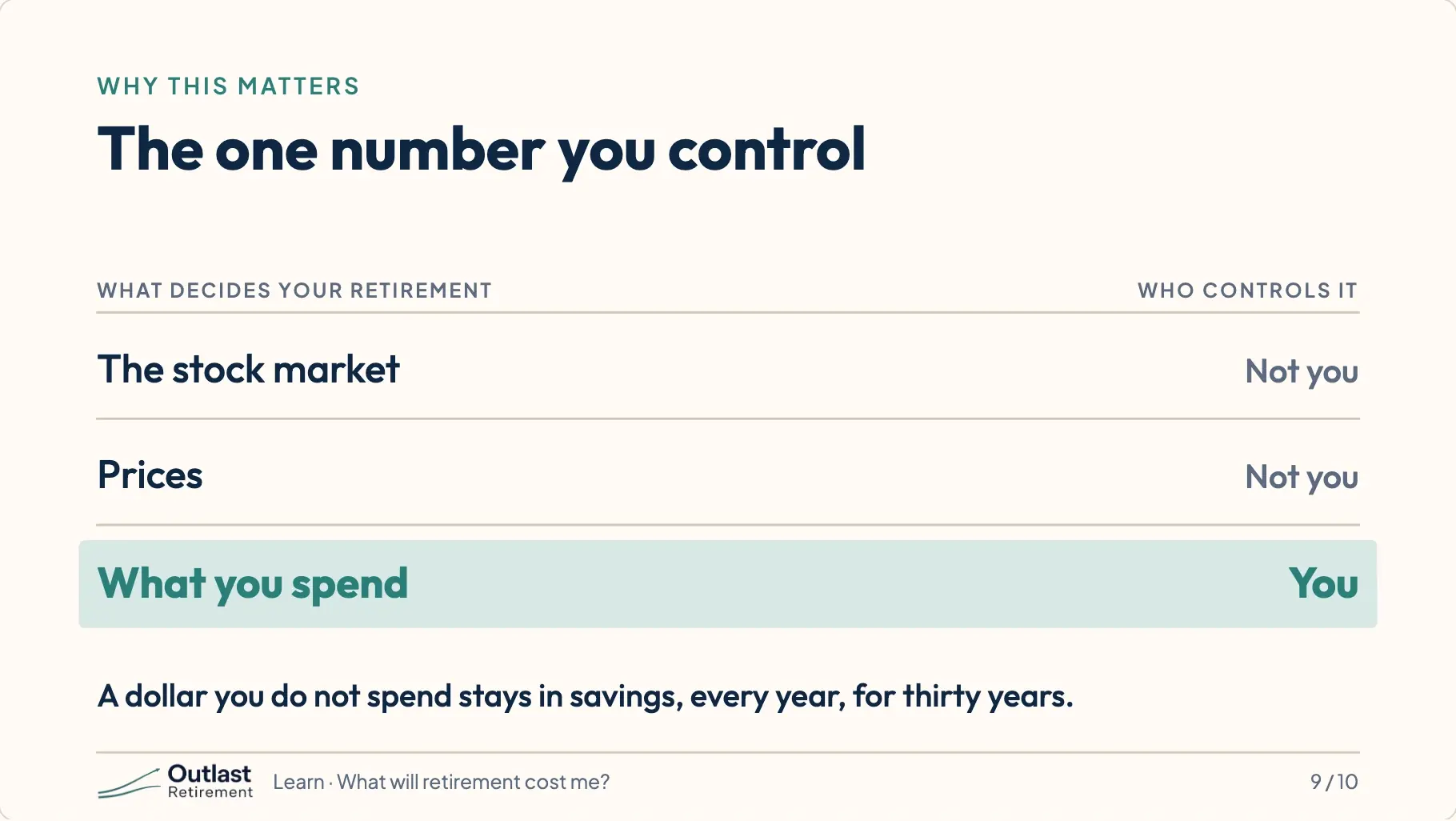
You cannot control the stock market. You cannot control prices. You can control what you spend. In retirement every dollar you don’t spend is a dollar that stays in savings, every year, for thirty years.
10.Move the slider. Watch the answer.
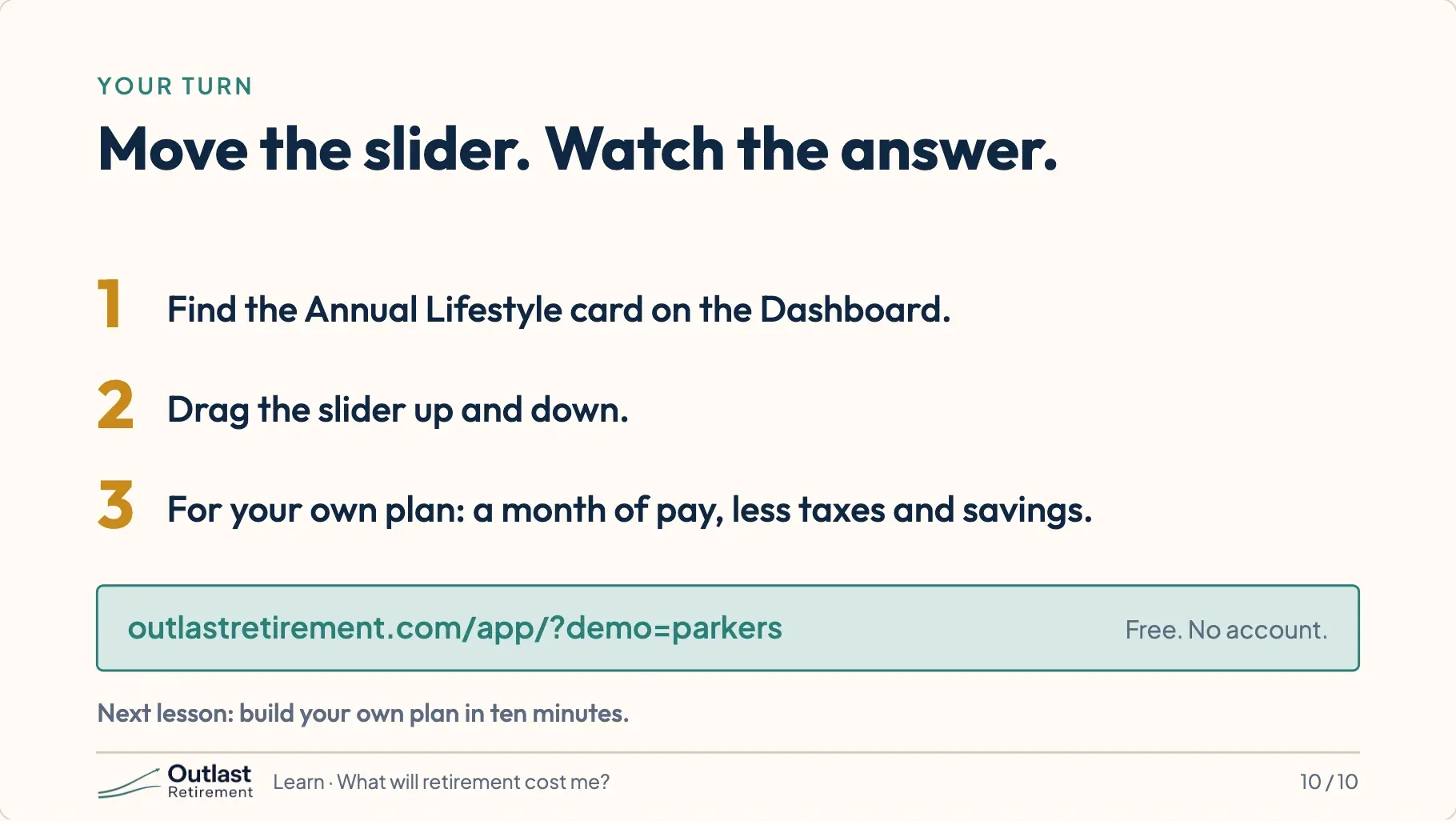
Your turn. Open Ray and Angie’s plan and find the card that says Annual Lifestyle. Drag the slider up and down, and watch the answer change. For your own plan, try the shortcut. Take one month of pay. Subtract taxes and what you saved. That is what you spend. Write it down for the next lesson, where you build your own plan. This is education, not financial advice.
Try it
Ray and Angie’s plan opens with every number already filled in. Nothing you change there is saved, and it does not touch a plan of your own.
Open Ray and Angie’s plan